
會員登錄

軟體搜尋

您的位置: 網站首頁 >> 程式軟體光碟 >> 系統工具 >> 商品詳情
商品詳情
|
商品編號:CB20748 碟片數量:1片 銷售價格:200 瀏覽次數:9510 

【轉載TXT文檔】 |
您可能也喜歡:
CB43268--TweakNow Snap2PDF 1.3.0 強大的移動設備文檔管理軟體 英文破解版
CB43327--4DDiG Partition Manager v3.10.1.11 x64 一體化的磁碟分割區管理軟體 多國語言含繁體中文破解版
CB43206--O&O Defrag Professional Server 30.5.1214 x64 磁片碎片整理軟體 英文破解版
CB43279--Cloanto C64 Forever 11.2.6 Plus Edition 非常好用的C64類比仿真軟體 英文破解版
CB43335--AIDA64 v8.25.8200 Final 四合一 電腦軟硬體檢測軟體 繁體中文免安裝版
商品描述
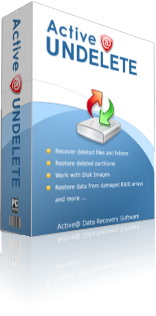
Active Undelete Enterprise v7.4 誤刪除檔恢復軟體 英文破解版
![]()
破解說明:
Registered Name : Manuel Weber
Registration Key: 00001N-X73GG1-K70BVV-FBF028-DKGV50-Z267X6-KDQN26-M9D8RP-BRTER5-1AKW3P-260V0H
軟體簡介:
資料恢復軟體。能夠幫助你恢復誤刪除檔、硬碟資料、丟失的檔、被格式化的資
料等,並支援可移動設備資料的恢復,比如活動硬碟、USB外接設備等。可恢復以
FAT NTFS NTFS5 NTFS+EFS系統分區格式的檔。
Active@ UNDELETE Professional package contains a CD/DVD ISO image that
you can burn to get a bootable CD, DVD to boot up dead PC.
Active@ UNDELETE Enterprise package includes all features of Professional
package as well as RAID and Network functions.
If your system is not bootable and you cannot attach the damaged hard
disk drive to another computer, the only way to recover your data is to
use Active@ Undelete Professional or Active@ Undelete Enterprise.
After booting from the CD/DVD, you will see a Windows environment (with
Networking in Enterprise package). All you need to do is recover your
data (copy files to a USB drive or Network drive).
Many other useful utilities are included besides undelete/data recovery
application: Web Browser, File Manager (similar to Windows Explorer),
Terminal Client, Partition Manager, Notepad, Task Manager, Command Prompt,
Network Drive Mapper, etc...
破解說明:
Registered Name : Manuel Weber
Registration Key: 00001N-X73GG1-K70BVV-FBF028-DKGV50-Z267X6-KDQN26-M9D8RP-BRTER5-1AKW3P-260V0H
軟體簡介:
資料恢復軟體。能夠幫助你恢復誤刪除檔、硬碟資料、丟失的檔、被格式化的資
料等,並支援可移動設備資料的恢復,比如活動硬碟、USB外接設備等。可恢復以
FAT NTFS NTFS5 NTFS+EFS系統分區格式的檔。
Active@ UNDELETE Professional package contains a CD/DVD ISO image that
you can burn to get a bootable CD, DVD to boot up dead PC.
Active@ UNDELETE Enterprise package includes all features of Professional
package as well as RAID and Network functions.
If your system is not bootable and you cannot attach the damaged hard
disk drive to another computer, the only way to recover your data is to
use Active@ Undelete Professional or Active@ Undelete Enterprise.
After booting from the CD/DVD, you will see a Windows environment (with
Networking in Enterprise package). All you need to do is recover your
data (copy files to a USB drive or Network drive).
Many other useful utilities are included besides undelete/data recovery
application: Web Browser, File Manager (similar to Windows Explorer),
Terminal Client, Partition Manager, Notepad, Task Manager, Command Prompt,
Network Drive Mapper, etc...