
會員登錄

軟體搜尋

您的位置: 網站首頁 >> 專業繪圖 >> 3D動畫CADCAMCAE >> 商品詳情
商品詳情
|
商品編號:CID5365 碟片數量:1片 銷售價格:80 瀏覽次數:12496 

【轉載TXT文檔】 |
您可能也喜歡:
DVDP5058--SolidCAM 2025 SP4 HF1 for SolidWorks 2018-2026 x64 (CAM軟體) 英文破解版(DVD9一片裝 此片售價200元)
CID13106--Aiarty Image Enhancer 3.9 專業的圖像增強軟體 英文破解版
CID13122--EdrawMax Ultimate 15.1.3.1475 向量繪圖軟體 英文破解版
CID13142--MSC CoSim 2025.1 x64 CAE直接建模和網格化軟體 英文破解版
CID13153--Ashampoo Photo Commander 19.0.4 x64 專業的圖像管理軟體 英文破解版
商品描述
GUI Design Studio Professional v4.1.109.0 介面原型構建軟體 英文破解版
![]()
破解說明:安裝完成後,請將光碟 \iNViSiBLE 目錄下的檔案,複製到主程式的
安裝目錄內中,並覆蓋,即可破解!
軟體簡介:
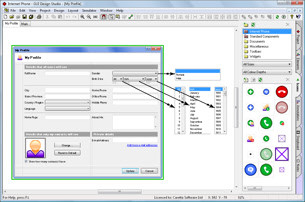
GUI Design Studio Professional v4.1.109.0 介面原型構建軟體 英文破解版
介面模型設計中很實用的一個工具GUI Design Studio,可以讓介面示意圖實現基本的
交互,便於演示、交流。
GUI Design Studio提供的了大部分C/S、B/S元件的示意圖,可組合使用,在一般軟體介
面模型設計階段基本可以滿足需要。
推薦需求、介面設計開發等介面原型相關人員使用。
GUI Design Studio is a graphical user interface design tool for Microsoft
Windows that you can use to rapidly create demonstration prototypes without any
coding or scripting.
Draw individual screens, windows and components using standard elements,
connect them together to storyboard operational workflow then run the simulator
to test your designs.
GUI Design Studio can be used whenever you need to draw what an application should
look like or show how its parts connect and flow together such as:
documenting product ideas
creating project proposals
requirements capture
creating screen mock-ups
producing detailed specifications for developers
suggesting enhancements to existing products
+ many more uses
Create presentations to users and stakeholders or even just to yourself to:
verify designs
explore alternatives
evaluate different usage scenarios
Before expensive implementation begins, make sure you know what needs to be developed and why.
破解說明:安裝完成後,請將光碟 \iNViSiBLE 目錄下的檔案,複製到主程式的
安裝目錄內中,並覆蓋,即可破解!
軟體簡介:
GUI Design Studio Professional v4.1.109.0 介面原型構建軟體 英文破解版
介面模型設計中很實用的一個工具GUI Design Studio,可以讓介面示意圖實現基本的
交互,便於演示、交流。
GUI Design Studio提供的了大部分C/S、B/S元件的示意圖,可組合使用,在一般軟體介
面模型設計階段基本可以滿足需要。
推薦需求、介面設計開發等介面原型相關人員使用。
GUI Design Studio is a graphical user interface design tool for Microsoft
Windows that you can use to rapidly create demonstration prototypes without any
coding or scripting.
Draw individual screens, windows and components using standard elements,
connect them together to storyboard operational workflow then run the simulator
to test your designs.
GUI Design Studio can be used whenever you need to draw what an application should
look like or show how its parts connect and flow together such as:
documenting product ideas
creating project proposals
requirements capture
creating screen mock-ups
producing detailed specifications for developers
suggesting enhancements to existing products
+ many more uses
Create presentations to users and stakeholders or even just to yourself to:
verify designs
explore alternatives
evaluate different usage scenarios
Before expensive implementation begins, make sure you know what needs to be developed and why.