
會員登錄

軟體搜尋

您的位置: 網站首頁 >> 專業知識教學 >> 電腦教學認證 >> 商品詳情
商品詳情
|
商品編號:TIC2171 碟片數量:1片 銷售價格:200 瀏覽次數:38092 

【轉載TXT文檔】 |
您可能也喜歡:
DVD10524--Video2Brain Neu in Aperture 3 英文正式版(教學)(DVD一片裝)
TIC1655--Oxford ATPL Gas Turbine Engines 英文正式版(氣體渦輪發動機飛行技巧培訓軟體)
TIC1859--VTC Autodesk Revit MEP 2010 英文正式版(教學)
DVD10655--Metal Method Metal Riffology TUTORiAL DVDR DiSC 2 英文正式版(雙DVD金屬吉他演奏教學)(DVD一片裝)
DVD10651--Gnomon Master Classes 2009 CG Survival Kit With Jeremy Cook 英文正式版(Gnomon 2009大師班教學)(DVD一片裝)
商品描述
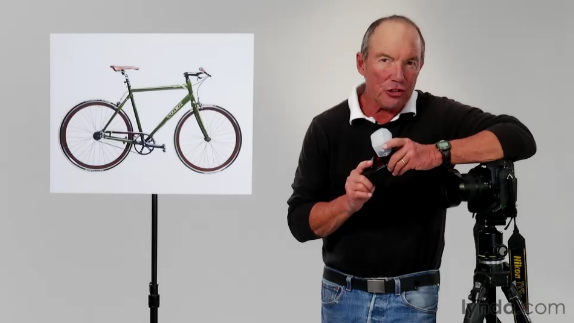
Lynda com Shooting With Wireless Flash Product Shots 無線閃光燈攝影的運用視頻教學 英文正式版
![]()
軟體簡介:
Lynda.com 出品的時長39多分鐘的無線閃光燈攝影的運用視頻教學。由Jim Sugar分
享使用離機外拍閃光燈的各種場景燈光佈置的實踐技術。在本教學裏主要演示產品拍
攝中,能夠準確地展示出自行車的顏色和其他細節方面的各種廉價照明工具—夾具,
凝膠劑與其他燈光調節器的運用與一些技巧。當然,這些技巧同樣適用於各種產品拍
攝中。其燈光技術不僅限閃光模式與功能表控制上,同適用於任何品牌的閃光燈和攝
像機。
In the Shooting with Wireless Flash series, award-winning photographer
Jim Sugar demonstrates his approach to using off-camera flash in a
variety of lighting scenarios, sharing practical tips along the way.
In this installment, Jim sets up and shoots a product shot. He
demonstrates a variety of inexpensive lighting tools--clamps, gels, and
other light modifiers--to light a product (in this course, a bicycle)
in a way that accurately shows its color and other details. Next, he
photographs the product using Adobe Lightroom's tethered shooting mode
in order to be able to immediately assess his exposures on the computer
screen. The course wraps up with a some tips that apply to product
shots of all kinds. With its focus on lighting technique rather than
specific strobe models and menu commands, these techniques are
applicable to any brand of strobe and camera.
Topics include:
Preparing for a shoot
Positioning the product and wireless strobes
Using light modifiers, clamps, and other lighting accessories
Shooting in tethered mode
Assessing the results
Tips to remember for product shots
軟體簡介:
Lynda.com 出品的時長39多分鐘的無線閃光燈攝影的運用視頻教學。由Jim Sugar分
享使用離機外拍閃光燈的各種場景燈光佈置的實踐技術。在本教學裏主要演示產品拍
攝中,能夠準確地展示出自行車的顏色和其他細節方面的各種廉價照明工具—夾具,
凝膠劑與其他燈光調節器的運用與一些技巧。當然,這些技巧同樣適用於各種產品拍
攝中。其燈光技術不僅限閃光模式與功能表控制上,同適用於任何品牌的閃光燈和攝
像機。
In the Shooting with Wireless Flash series, award-winning photographer
Jim Sugar demonstrates his approach to using off-camera flash in a
variety of lighting scenarios, sharing practical tips along the way.
In this installment, Jim sets up and shoots a product shot. He
demonstrates a variety of inexpensive lighting tools--clamps, gels, and
other light modifiers--to light a product (in this course, a bicycle)
in a way that accurately shows its color and other details. Next, he
photographs the product using Adobe Lightroom's tethered shooting mode
in order to be able to immediately assess his exposures on the computer
screen. The course wraps up with a some tips that apply to product
shots of all kinds. With its focus on lighting technique rather than
specific strobe models and menu commands, these techniques are
applicable to any brand of strobe and camera.
Topics include:
Preparing for a shoot
Positioning the product and wireless strobes
Using light modifiers, clamps, and other lighting accessories
Shooting in tethered mode
Assessing the results
Tips to remember for product shots