
會員登錄

軟體搜尋

您的位置: 網站首頁 >> 專業知識教學 >> 電腦教學認證 >> 商品詳情
商品詳情
|
商品編號:TIC2428 碟片數量:1片 銷售價格:200 瀏覽次數:38068 

【轉載TXT文檔】 |
您可能也喜歡:
DVD30454--CGCircuit - Water Explosion in Houdini 電影級水中爆破特效教學 英文教學版(DVD一片裝)
DVDP4515--深度學習理論入門基礎課程 中文教學版(DVD9一片裝 此片售價200元)
DVDP4606--CGCircuit - Introduction Dust Interaction 電影級煙霧特效教學 英文教學版(DVD9一片裝 此片售價200元)
DVD30455--CGCircuit Abstract in Houdini 抽象藝術特效教學 英文教學版(DVD一片裝)
DVDP4430--零基礎學習Rhino6.0軟體-附加素材檔 中文教學版(DVD9一片裝 此片售價200元)
商品描述
Groove3 UVI Workstation Jump Start TUTORiAL 視頻教學 英文正式版
![]()
軟體簡介:
The UVI Workstation may be free, but it is one of the most powerful playback
plug-ins ever created, working both in standalone mode and in all top DAWs.
Synth and DAW master Russ Hughes shows you all you need to know to get it up
and running fast, all in just a little over an hour.
Russ begins with setting up the UVI Workstation and looking "under the hood"
at its design and architecture. Next he shows you how to create your first
track in your DAW, using loops and separate outputs. Then Russ shows you how
to use the browser to find sounds, reveals "Expert Mode", how to stack loops
and add effects, use the powerful built-in arpeggiator and much more.
If you want to use the UVI Workstation in your productions, Russ shows you
how in this awesome Jump Start series. Watch today
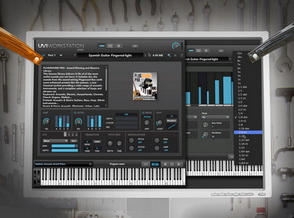
軟體簡介:
The UVI Workstation may be free, but it is one of the most powerful playback
plug-ins ever created, working both in standalone mode and in all top DAWs.
Synth and DAW master Russ Hughes shows you all you need to know to get it up
and running fast, all in just a little over an hour.
Russ begins with setting up the UVI Workstation and looking "under the hood"
at its design and architecture. Next he shows you how to create your first
track in your DAW, using loops and separate outputs. Then Russ shows you how
to use the browser to find sounds, reveals "Expert Mode", how to stack loops
and add effects, use the powerful built-in arpeggiator and much more.
If you want to use the UVI Workstation in your productions, Russ shows you
how in this awesome Jump Start series. Watch today